All-in-one
Sales and Marketing Platform
We help you to grow your sales by streamlining your sales process such as capturing leads, marketing automation and customer management in one dashboard
About Us
Grow Your Business with Us
Churn Happens as Marketers Don’t Leverage Customer Data and Analytics. SunnyDay offers CRM platform and strategy which provides insight into your customers and target audience, thereby allowing you to improve marketing campaigns to target likely conversions.
Lead Capture
Capture leads using our landing pages, surveys, forms, calendars, inbound phone system & more!
Nurturing
Automatically message leads via voicemail, forced calls, SMS, emails, FB Messenger & more!
Convert
Use our built-in tools to collect payments, schedule appointments, and track analytics!

Better Customer Management Means Better Growth
We offer an essential tool for any business that wants to succeed in today’s competitive market. By using a our platform, businesses can streamline their processes, improve their efficiency, and enhance their customer experience to achieve your business goals and grow your revenue.
Capture Leads from Multiple Channels
Devise strategy that suits your sales funnel
Identify and convert more leads
Manage your customer data like a champ
Integrate with your existing data
Increase customer loyalty and retention
Our Platform
Connect With Customers Seamlessly

WhatsApp, Email and SMS Marketing
Send rich, engaging email messages to your customers. Reach your customers through personalized message through SMS

Multichannel Customer Handling
Track where your customer come from, whether from Email, SMS, WhatsApp, Social Media Direct Messages and even Google My Business.

Website Builder
Our intuitive platform allows you to create full featured websites with custom menus. Create high-performing and captivating landing pages all in one place!

AI Integrated Platform
Allows you to leverage AI (Artificial Intelligence) and Machine Learning to manage the conversation.

Marketing Automation
Automate engaging follow ups and capture engaged responses from your leads.

Tracking and Analytics
Our dashboard keeps an overview of where the leads are, and how much money has been generated on each phase.
OUR TEAM
Meet Our Awesome Team



Nyna Desquary Zurya
Growth Consultant
Retty Raina
Growth Consultant
Sarah Nurdiana
Growth Consultant
Ready To Work With Us?
Do you want to boost your sales growth? Do you want to optimize your sales opportunities? Do you want to keep the sales process streamlined, from start to end?
Blog & Articles

CARA MENYIAPKAN GOOGLE AD CONVERSION ACTIONS
Cara Menyiapkan Google Ad Conversion Actions
Apa itu Conversion Action?
Conversion Action adalah tindakan penting yang ingin Anda hitung setelah audiens berinteraksi dengan iklan (misalnya pembelian, pengisian form, panggilan telepon). Ini membantu mengukur dan mengoptimalkan ROI kampanye Anda.
Langkah-langkah Setup Konversi di Google Ads
Buka Akun Google Ads
Masuk ke akun Google Ads, klik bagian Goals, lalu pilih Conversions – Summary.
Klik + Create Conversion Action atau pilih Create > Conversion action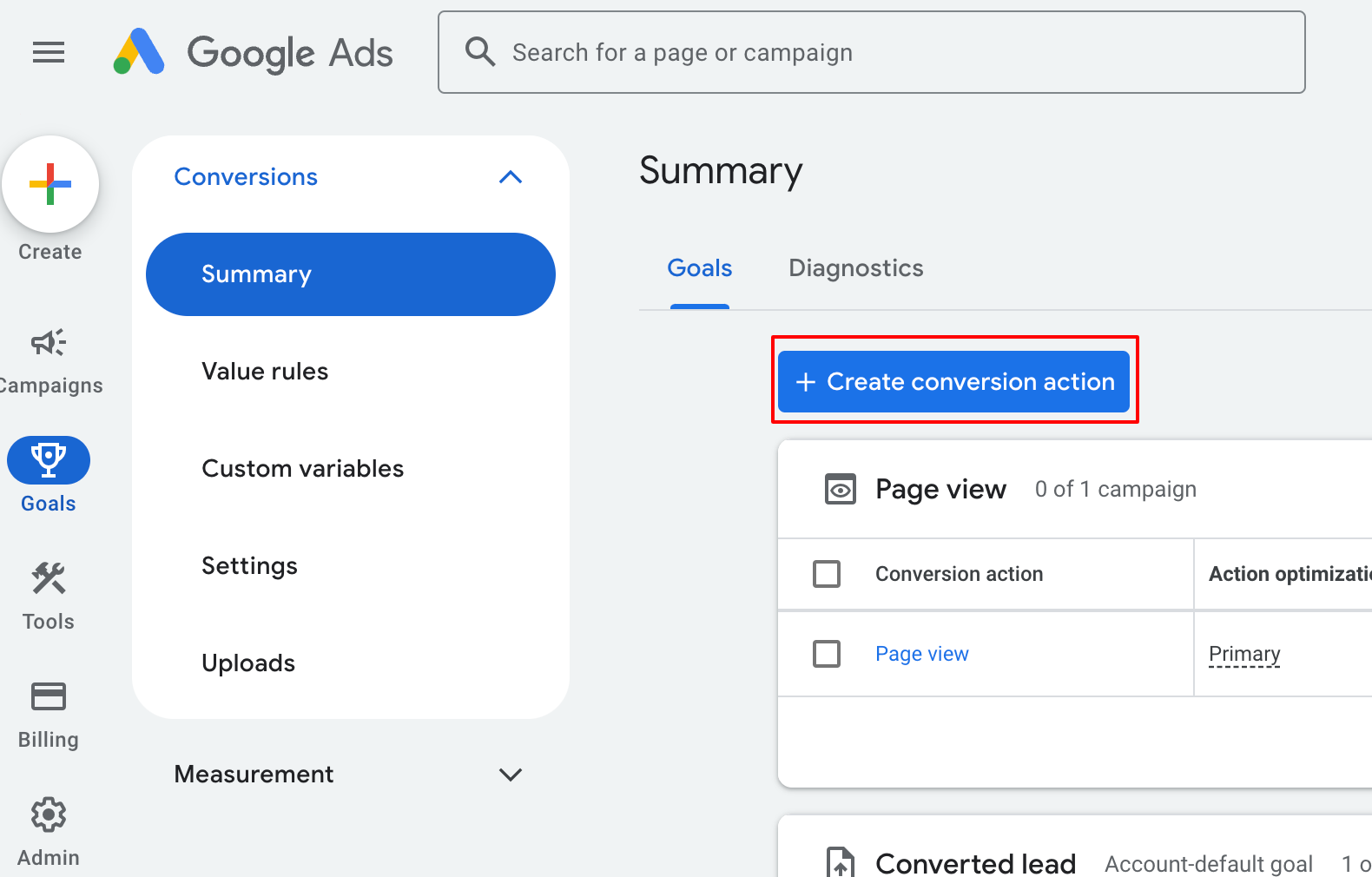
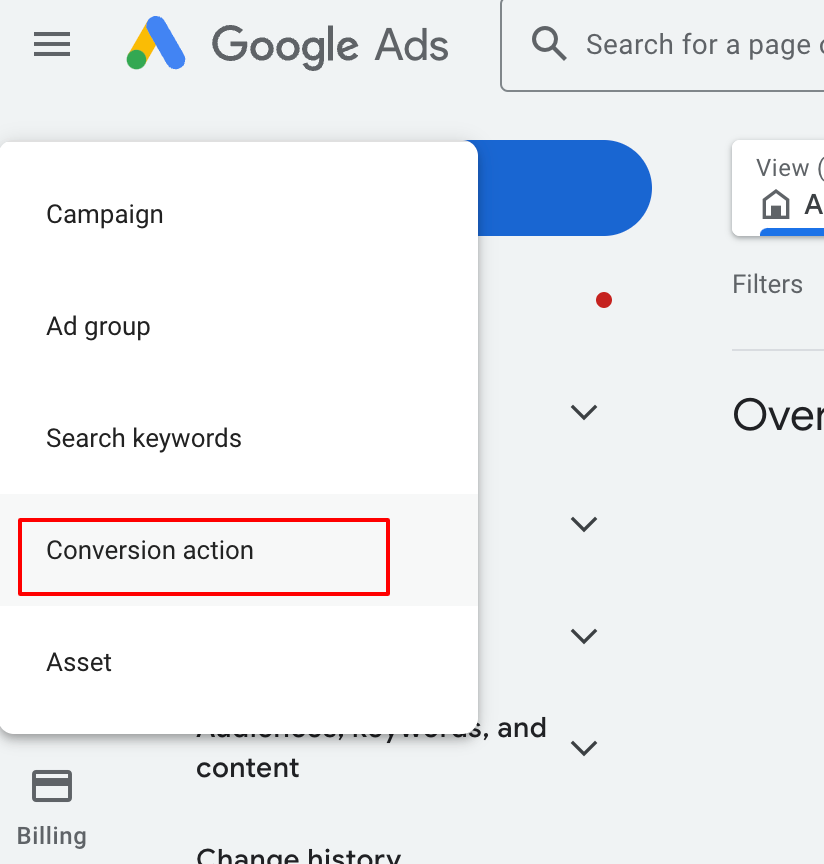
Pilih Conversion Goal
Pilih Offline conversions.
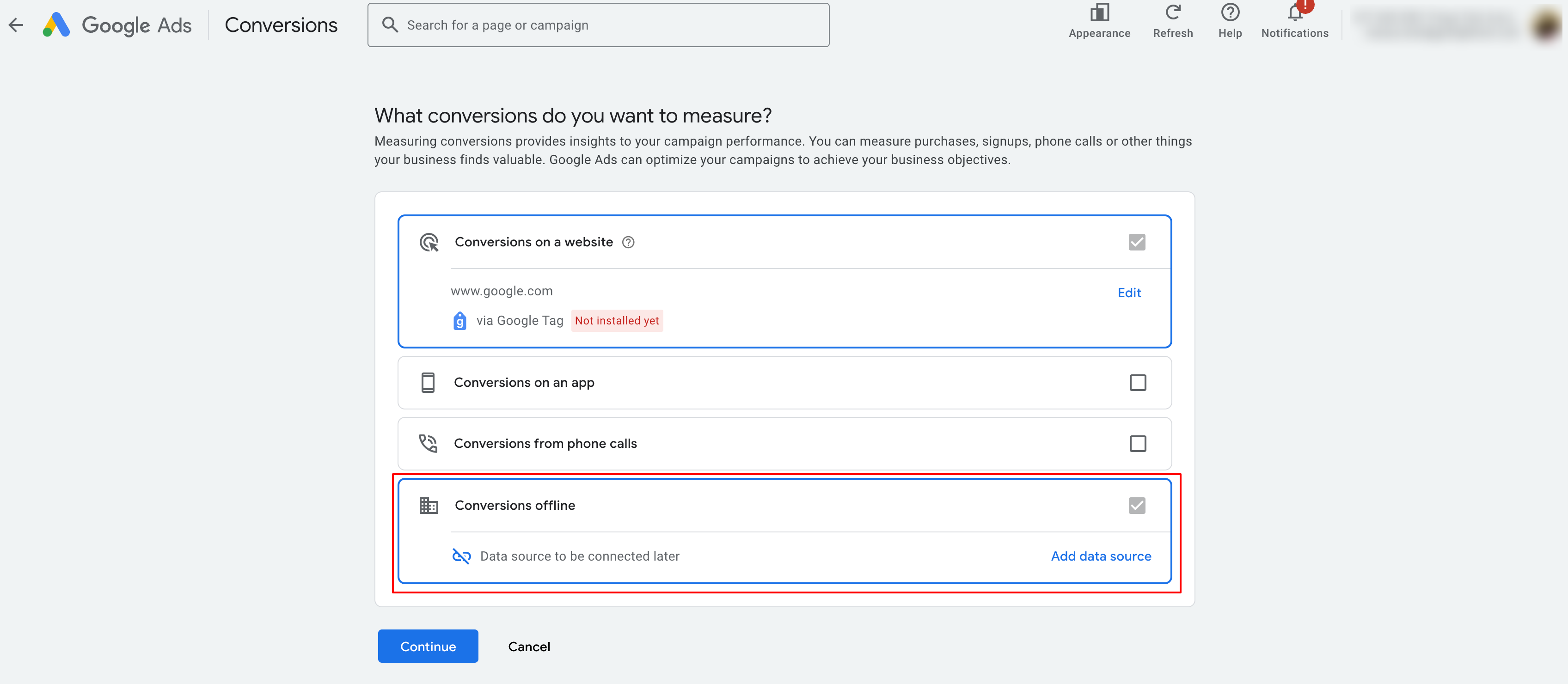
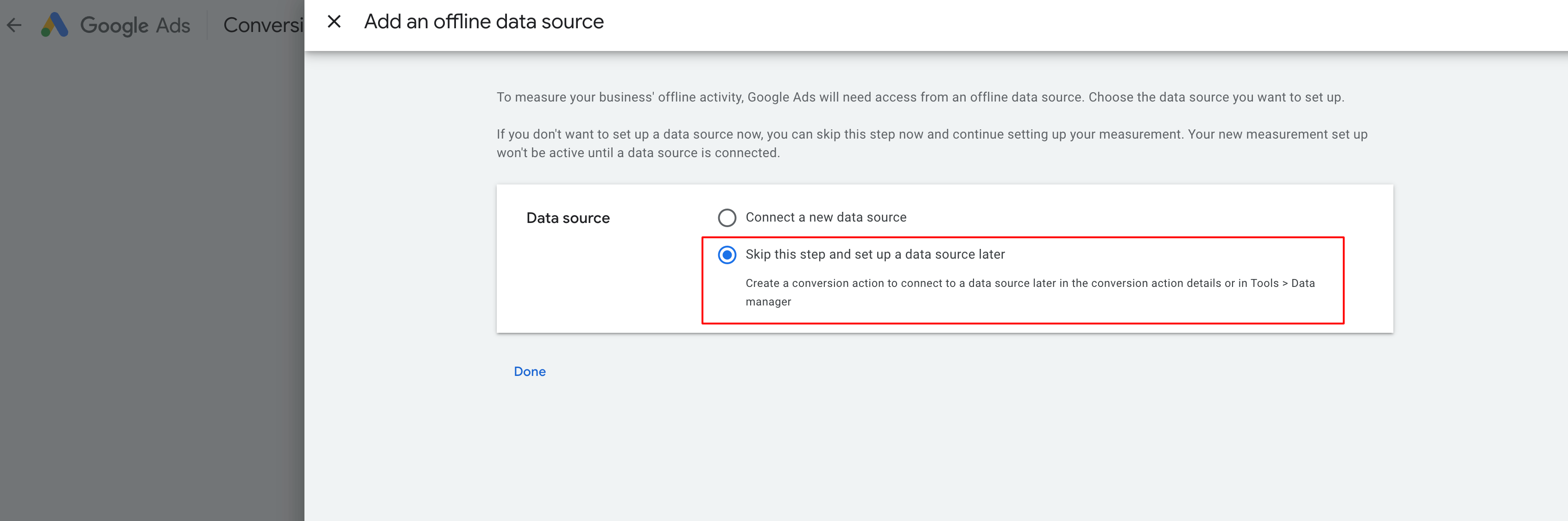
Pilih tujuan konversi, misalnya Converted lead.
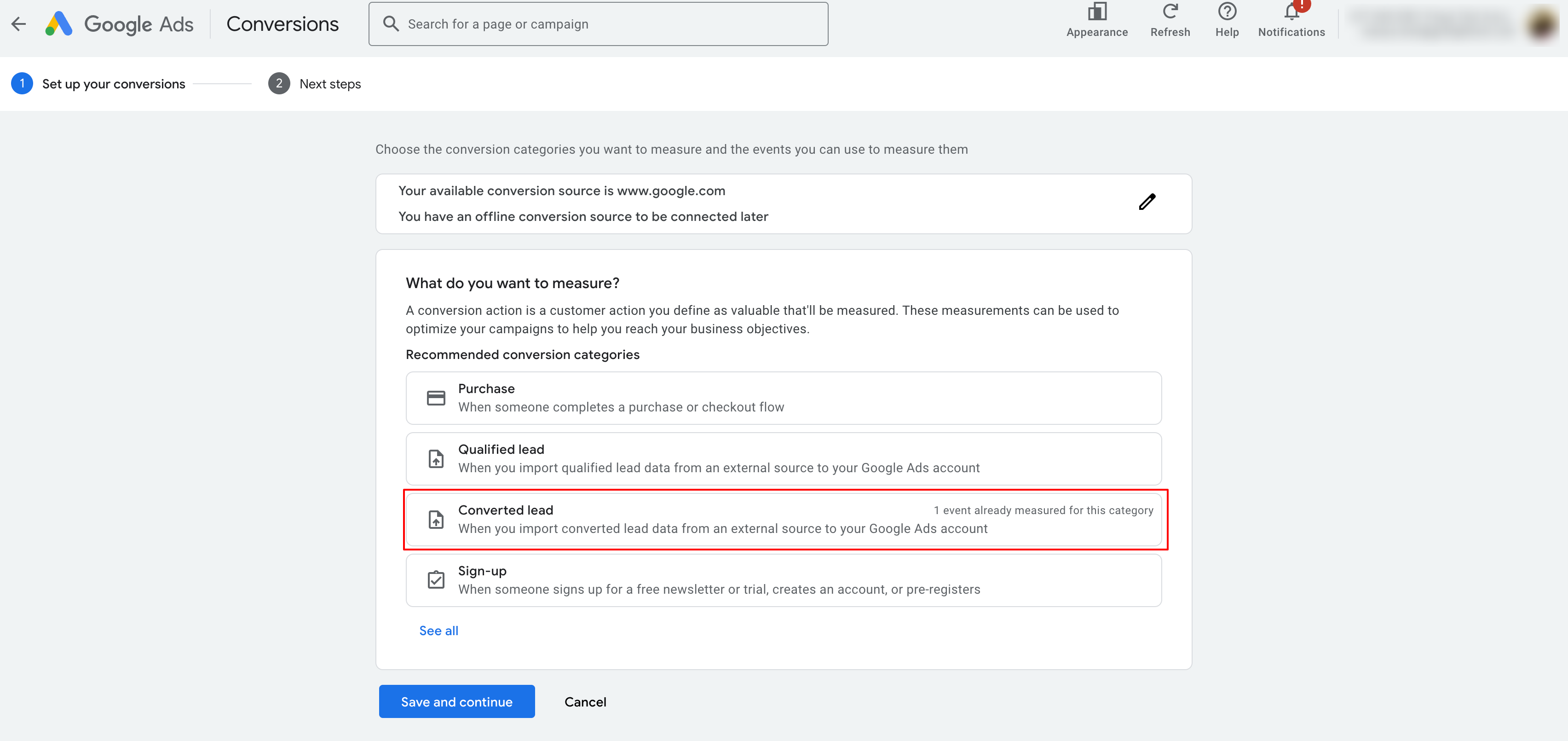
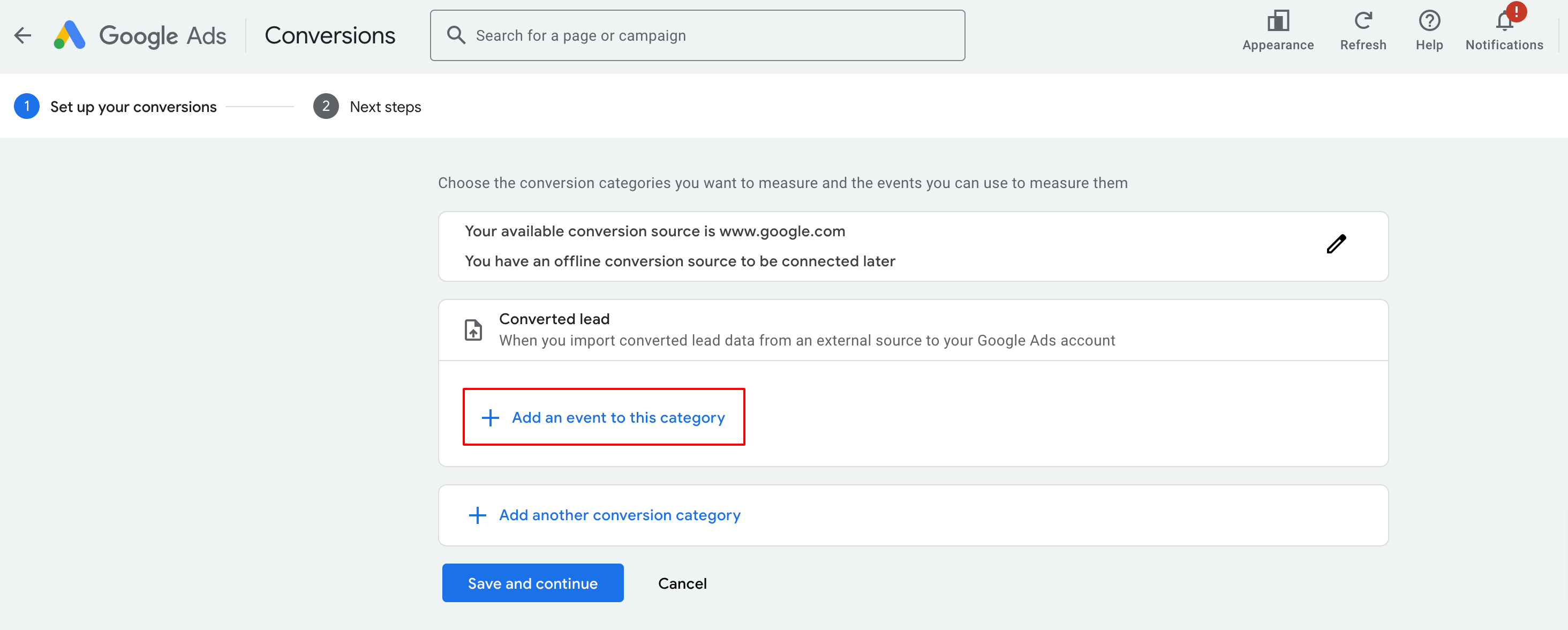
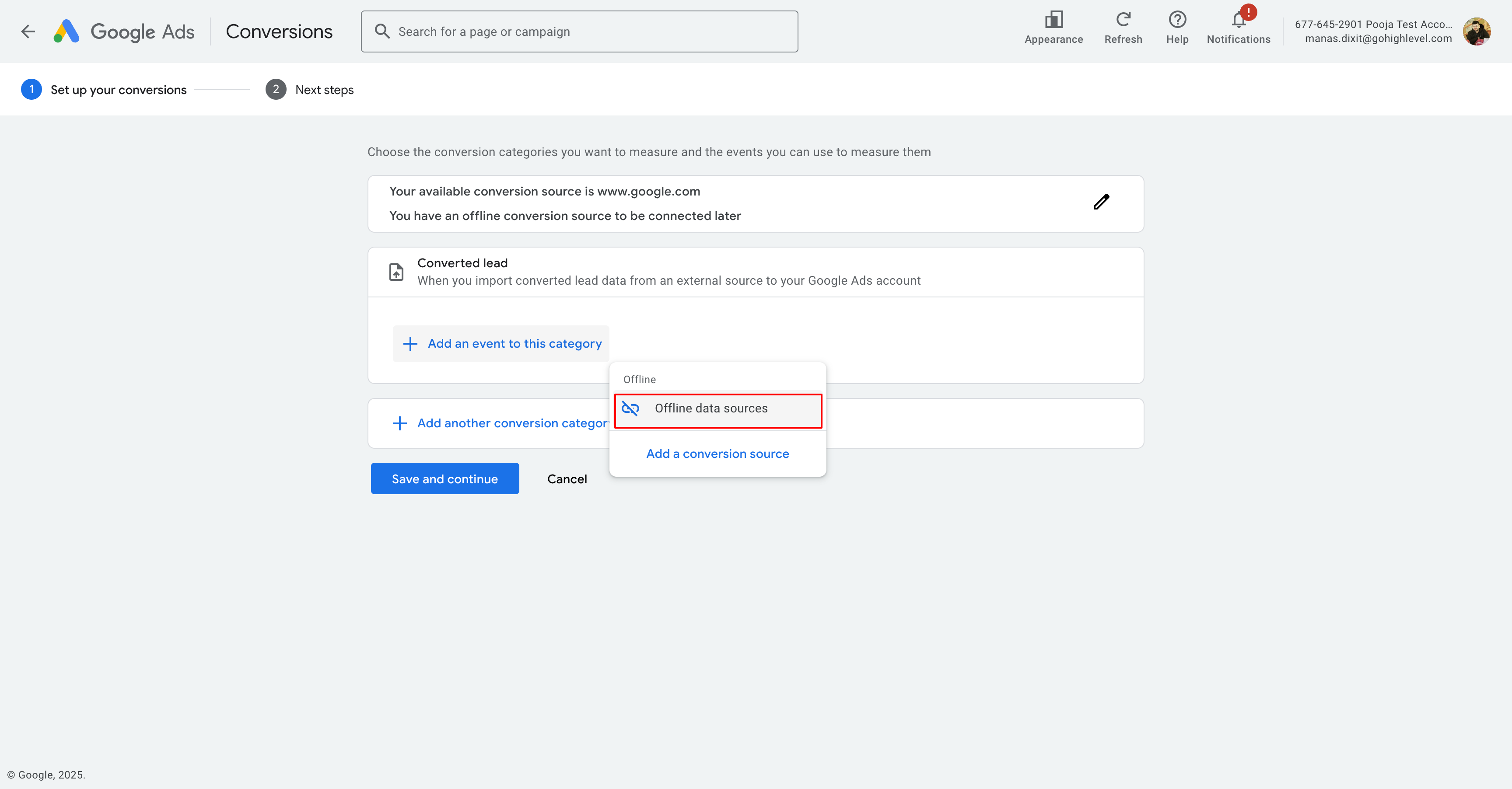
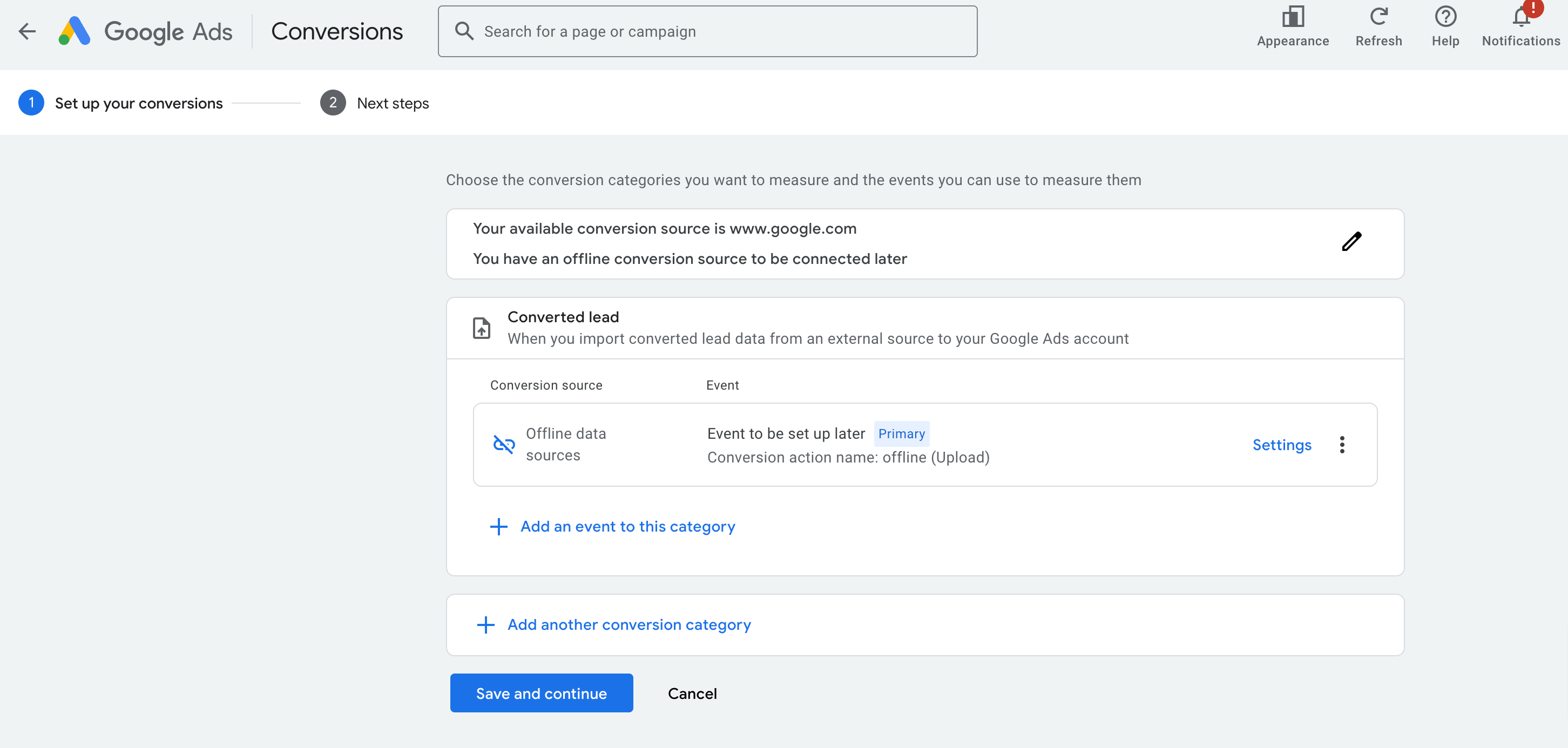
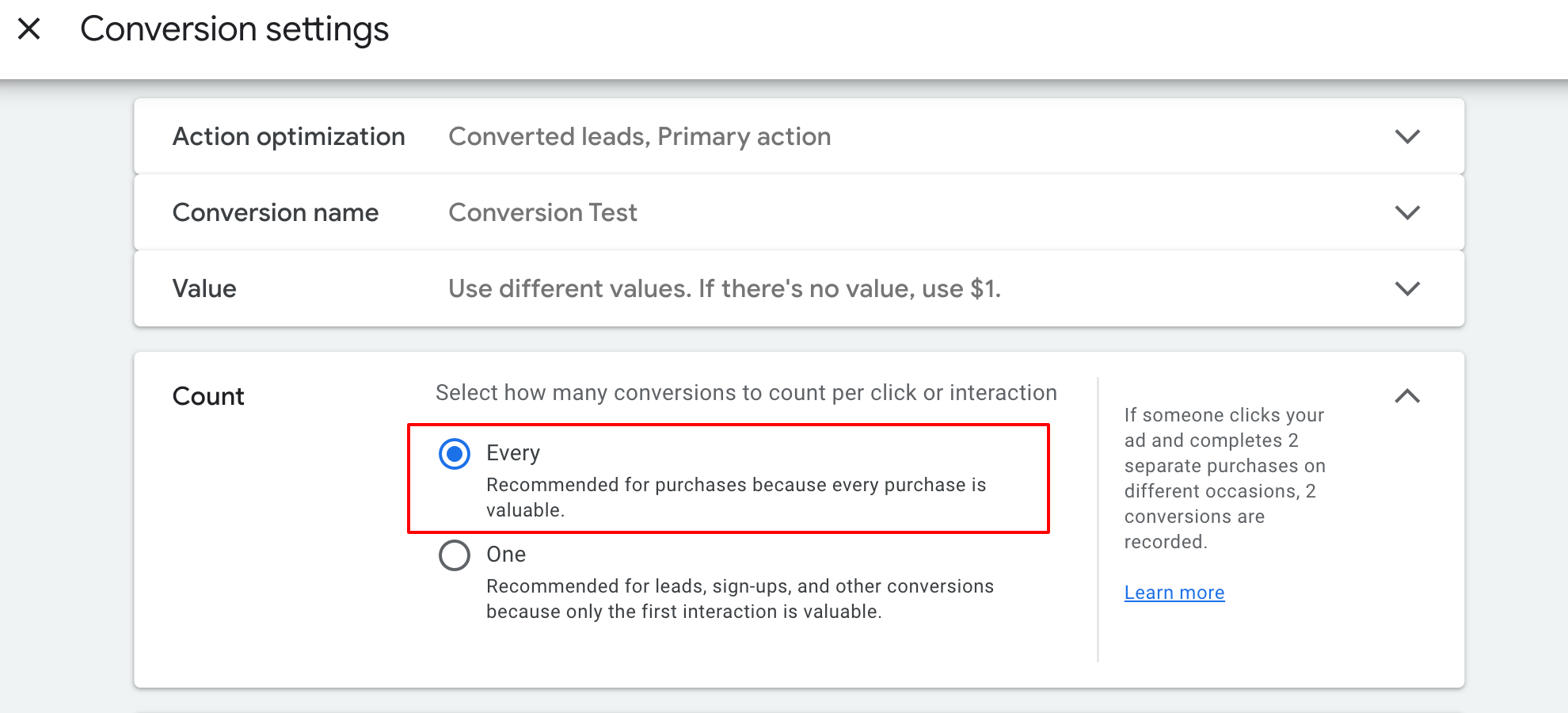
Atur Pengaturan Conversion
Di bagian Conversion source, biarkan opsi “Primary action used for bidding optimisation” tetap aktif.
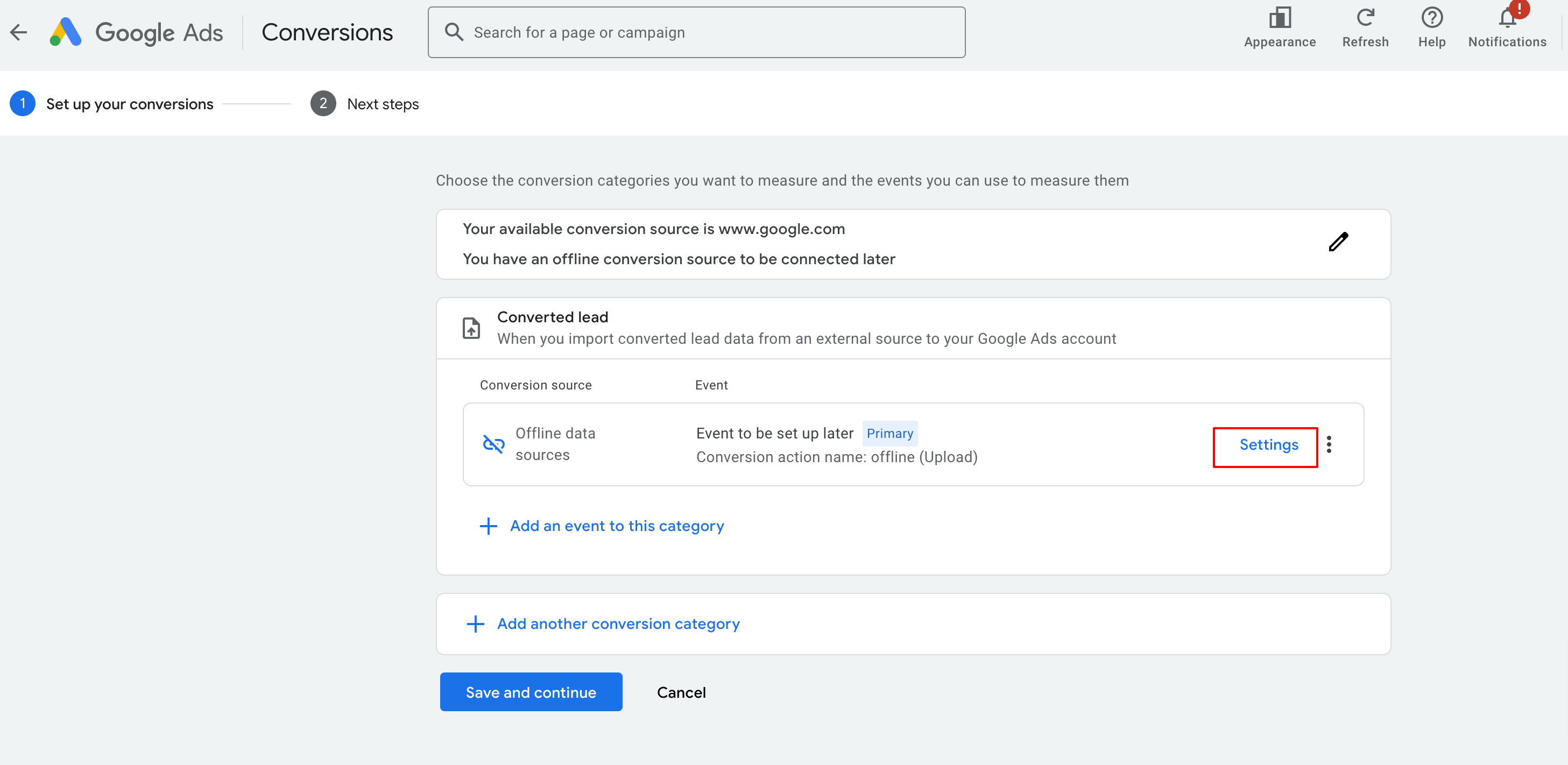
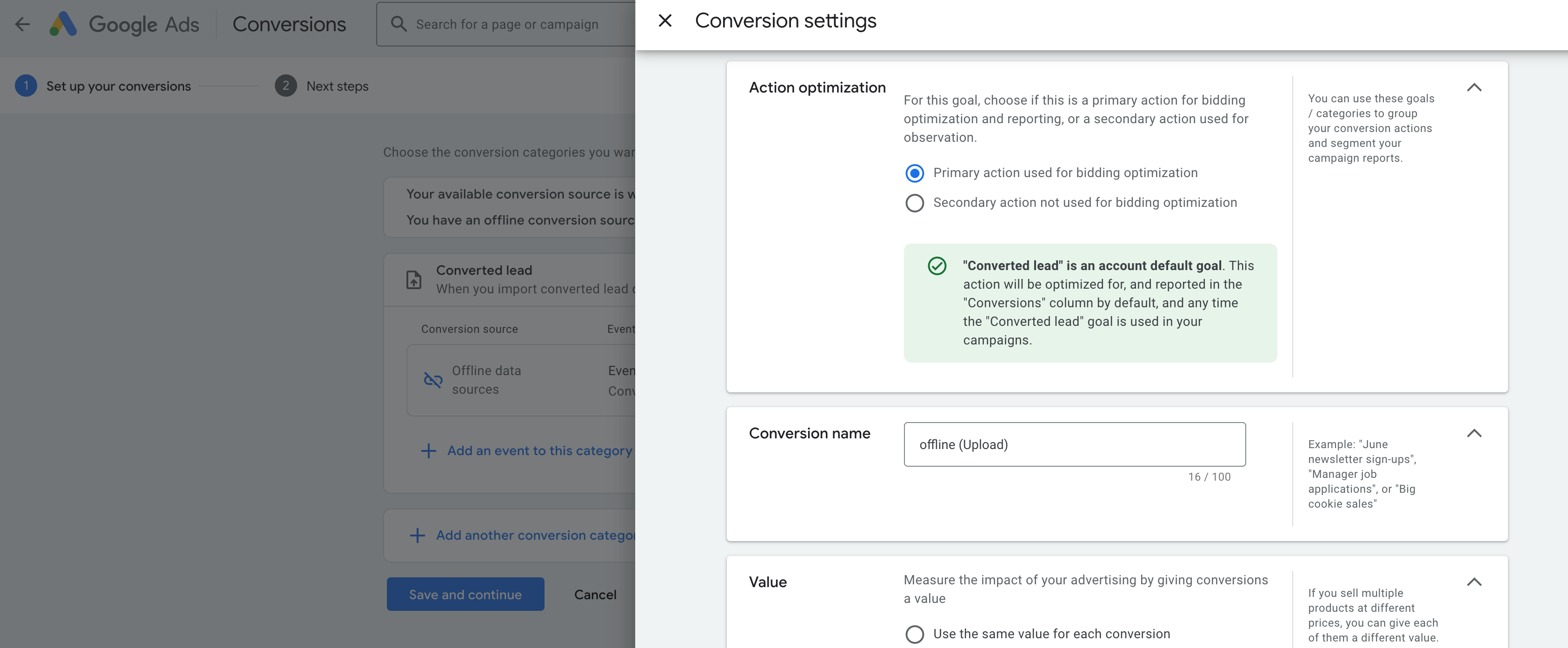
Beri Nama Conversion
Contoh: Conversion Test.
Salin namanya karena akan diperlukan saat membuat workflow di SunnyDay.

Pilih Nilai (Value)
Pilih opsi: same, different, atau don’t use a value.
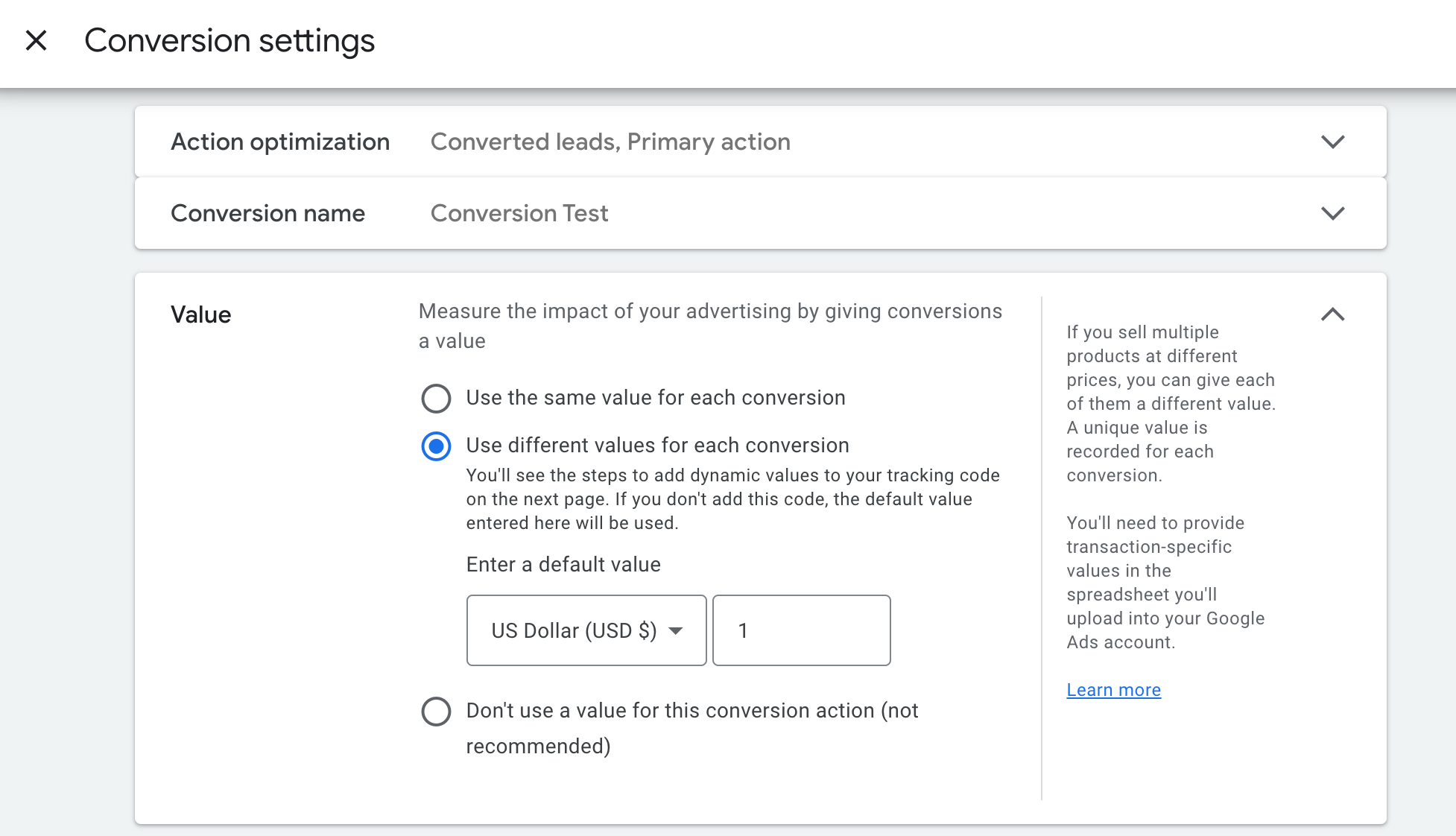
Untuk penghitungan, gunakan Every (disarankan).
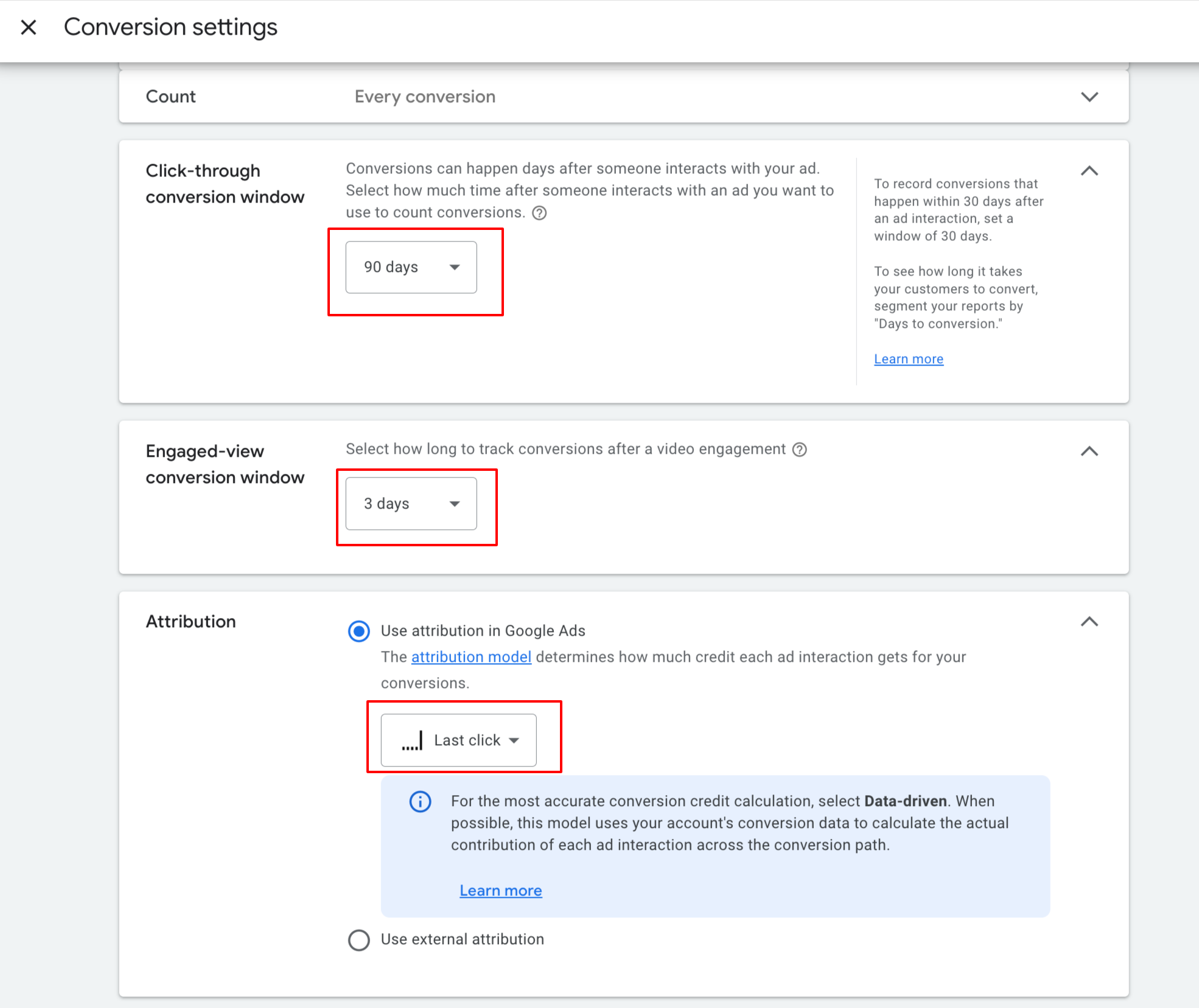
Atur Jendela Konversi & Model Attribution
Click‑through conversion window: 90 hari
Engaged‑view window: 3 hari (rekomendasi Google)
Attribution model: pilih Last Click atau Data Driven.
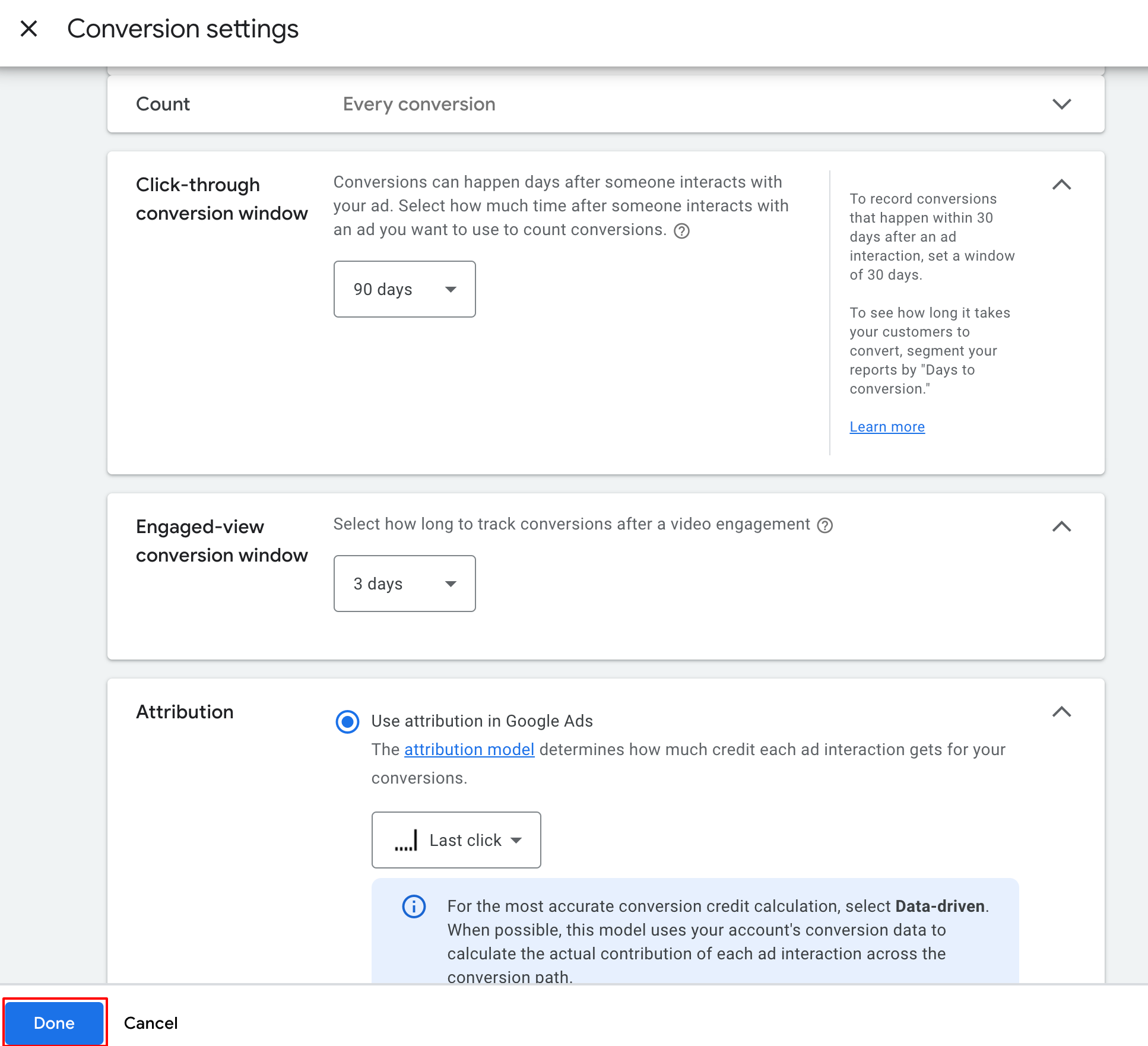
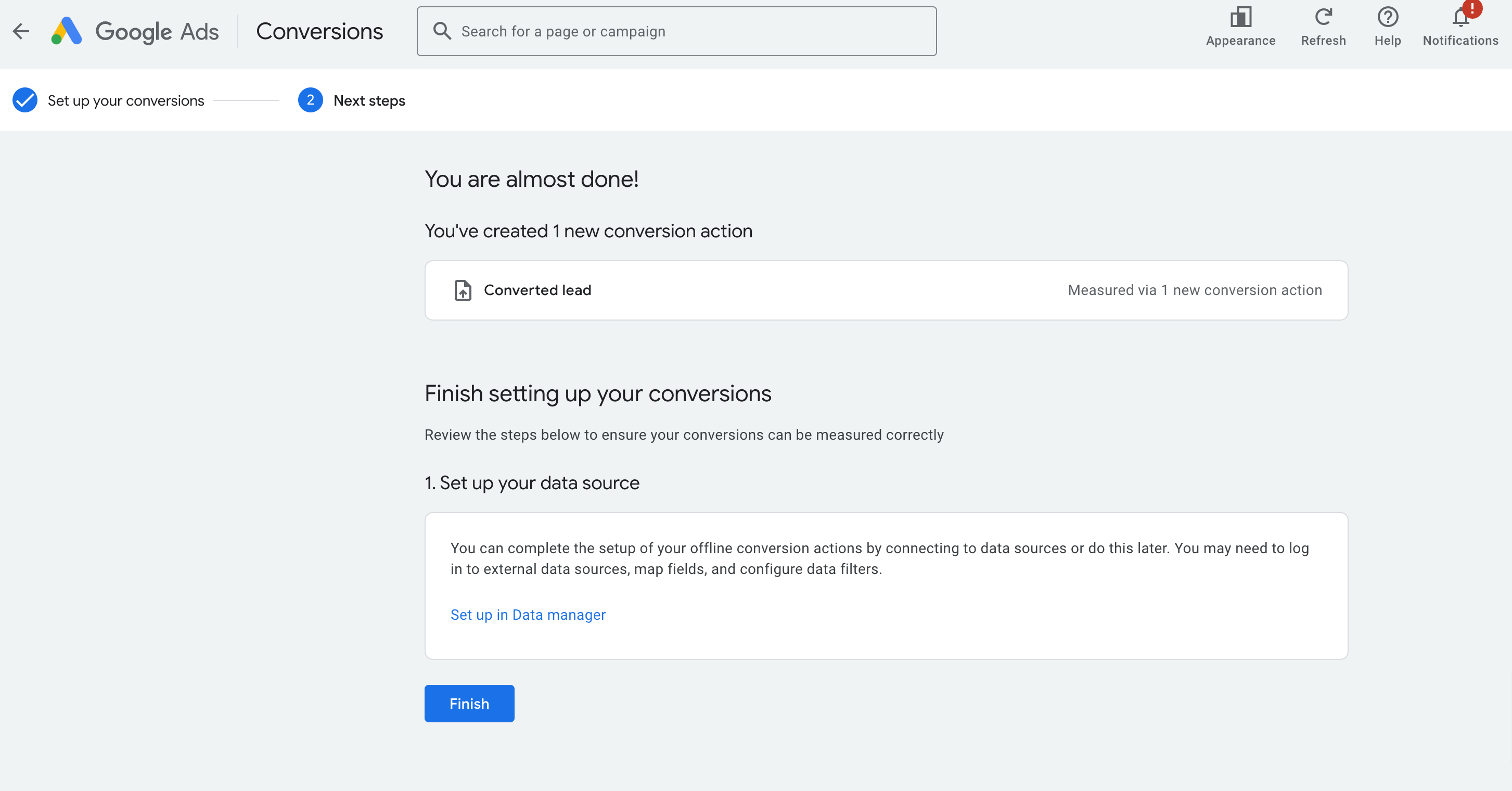
Setelah itu klik Done dan simpan pengaturan.
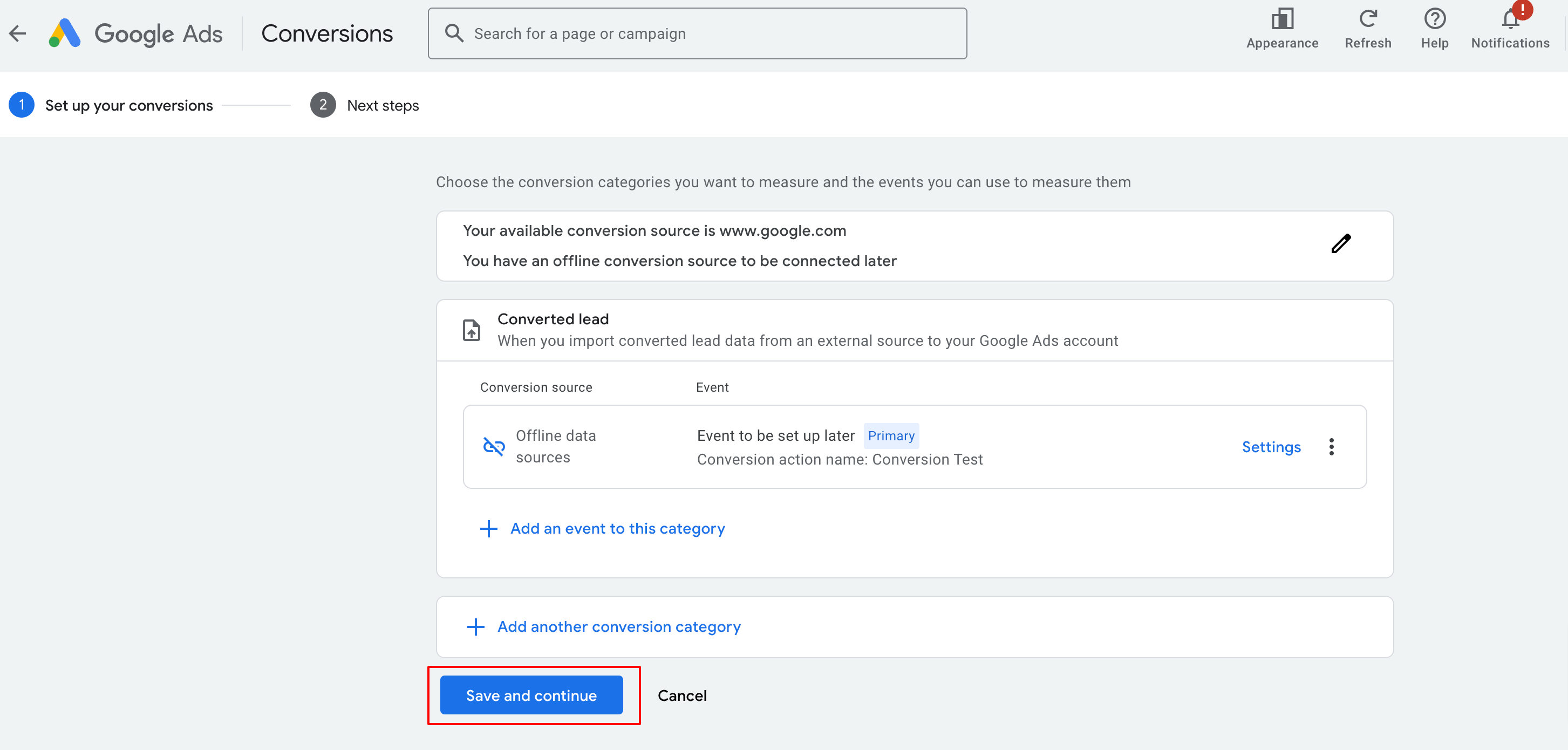
Simpan dan Lanjutkan
Klik Save and continue, lalu Finish untuk menyelesaikan pembuatan conversion action.
Buat Workflow di SunnyDay
Untuk menghubungkan conversion ke SunnyDay:
Menghubungkan Konversi ke Workflow di SunnyDay
Setelah conversion action dibuat, hubungkan ke SunnyDay melalui workflow automation:
Jenis trigger yang didukung:
Form Submission / Order Purchases / Survey Submission
Number Pool Calling (panggilan via nomor kelompok)
Chat Widget (balasan dari widget chat)
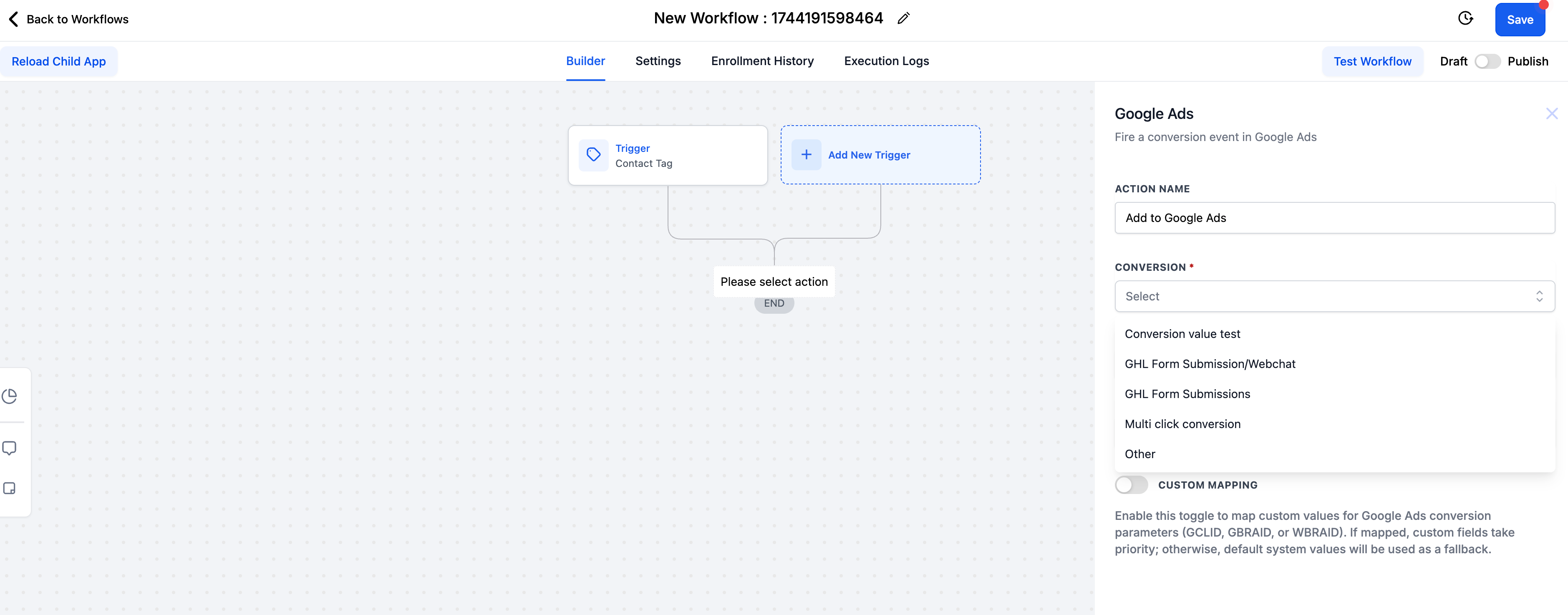
Contoh setup untuk Form Submission:
Buat workflow baru.
Tambahkan trigger: Form Submission atau Order Form Submission.
Tambahkan filter sesuai form/purchase/survey yang Anda gunakan.
Tambahkan action “Add to Google Ads”.
Pilih nama conversion action yang sama persis.
Atur currency & nilai konversi.
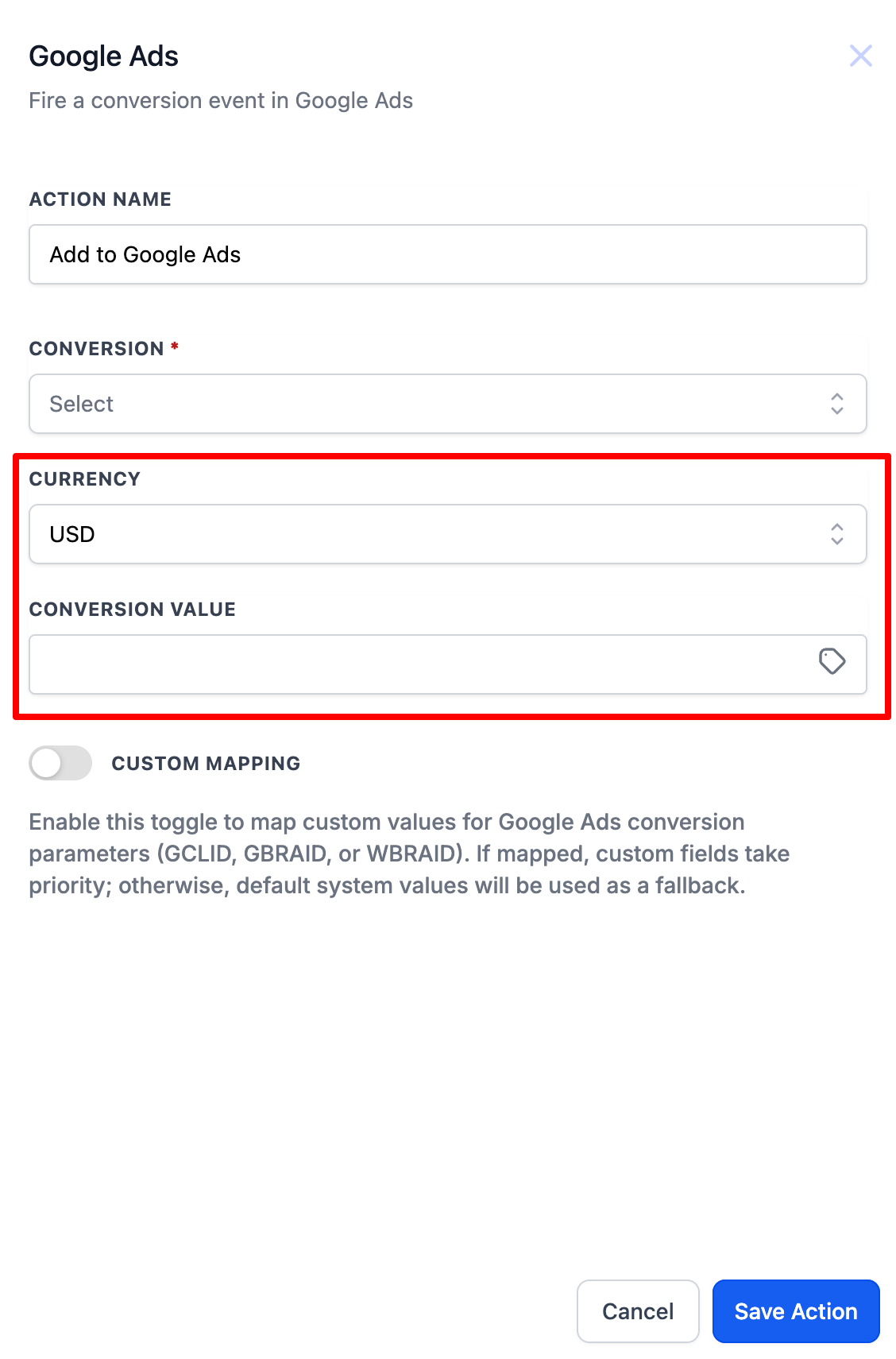
Simpan dan terbitkan workflow.
Proses serupa berlaku untuk Number Pool Calling dan Chat Widget .
Setelah workflow aktif: akan terhubung 5 menit setelah klik iklan dengan parameter UTM dan gclid/wbraid/gbraid tiba di sistem; history workflow menunjukkan eksekusi konversi.
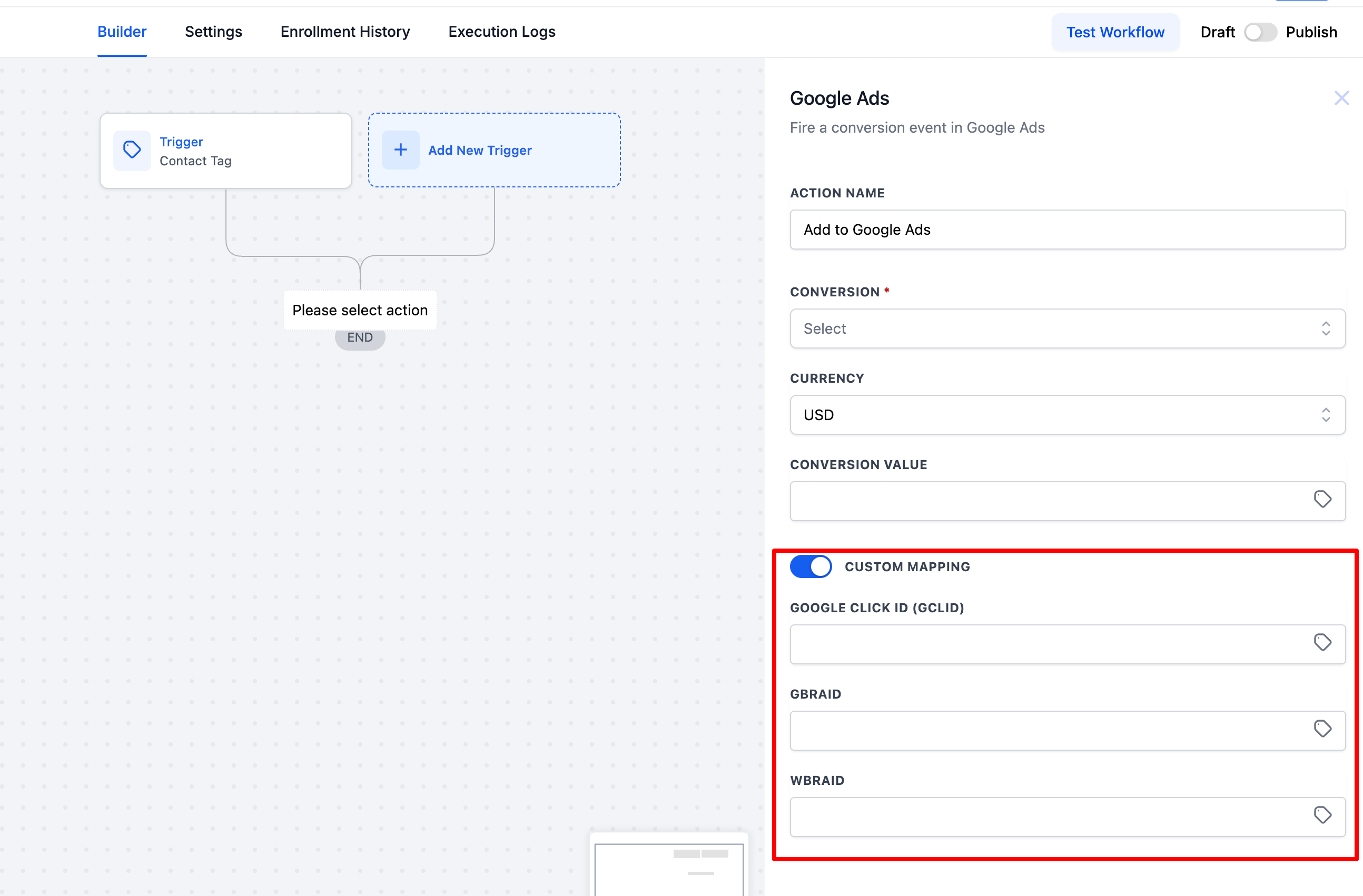
Custom Mapping (Opsional)
Anda dapat mengaktifkan Custom Mapping untuk mengatur manual parameter tracking seperti GCLID, GBRAID, WBRAID menggantikan default SunnyDay ketika diperlukan.
Troubleshooting & Tips
Tidak ada verifikasi langsung dari Google; cek lewat log history pada workflow.
Tunggu sekitar 5–15 menit setelah trigger untuk melihat konversi muncul di Google Ads.
Pastikan nama conversion action persis sama antara Google Ads dan SunnyDay.
Pastikan URL iklan mengandung parameter tracking gclid, wbraid, atau gbraid.

Post Address and Mail
sales@sunnyday.co.id
Address
Jl. Kemang Timur Raya no. 90
Jakarta Selatan, 12730
DKI Jakarta, Indonesia
Get In Touch
Assistance Hours
Mon – Fri 9:00am – 6:00pm
Weekend – CLOSED
Phone Number:
(021) 717 90561